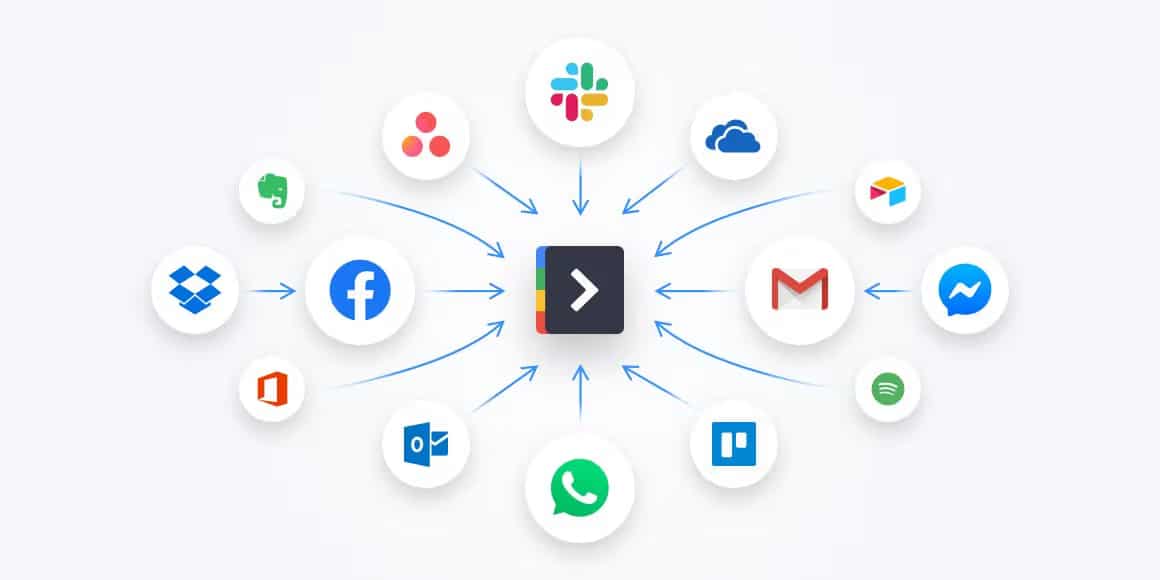
For years, digital productivity and business workflows relied on a collection of single-purpose tools. One app for tasks, another for notes, a different one for calendars, communication, file storage, automation, and reporting. While each tool excelled at a specific function, managing dozens of disconnected apps has become increasingly inefficient.
Today, a clear shift is underway: all-in-one apps are replacing multiple single-purpose tools. From productivity platforms and business suites to personal organization apps, users are gravitating toward unified solutions that centralize functionality, reduce friction, and simplify digital life.
This transition reflects deeper changes in how people work, collaborate, and manage information in an increasingly complex and fast-moving world.
The Problem with Tool Overload
At first glance, specialized tools seem ideal. They are focused, powerful, and often best-in-class within their niche. However, as digital needs grow, the number of tools required to manage daily work multiplies quickly.
Common problems with using too many single-purpose apps include:
- Constant switching between apps
- Fragmented information across platforms
- Multiple logins, subscriptions, and interfaces
- Redundant data entry and manual syncing
- Notification overload and cognitive fatigue
This phenomenon, often called tool sprawl, creates friction instead of efficiency. Instead of empowering users, excessive tools can slow them down, increase errors, and drain mental energy.
All-in-one apps emerged as a response to this growing complexity.
What Are All-in-One Apps?
All-in-one apps combine multiple core functions into a single, unified platform. Rather than forcing users to juggle separate tools, these apps integrate essential features into one ecosystem.
Typical capabilities include:
- Task and project management
- Notes and documentation
- Calendars and scheduling
- Communication and collaboration
- File storage and sharing
- Automation and integrations
The key difference is not just feature quantity, but deep integration. In an all-in-one app, tasks connect directly to documents, schedules, and conversations, creating a cohesive workflow instead of isolated actions.
Efficiency Through Centralization
One of the main reasons all-in-one apps are replacing single-purpose tools is efficiency. Centralization eliminates the need to constantly move information between platforms.
For example:
- A meeting note can instantly become a task
- A task deadline can automatically appear on a calendar
- A document update can notify the relevant team members
This interconnectedness reduces context switching, which is one of the biggest productivity killers. Every time users switch apps, they lose focus and time. All-in-one platforms minimize these interruptions by keeping everything in one place.
The result is smoother workflows and faster execution.
Better Context, Better Decisions
Single-purpose tools often lack context. A task manager may show what needs to be done, but not why it matters. A notes app may store information, but not link it to action.
All-in-one apps solve this by preserving context. Tasks are linked to projects, documents, discussions, and deadlines. This holistic view helps users understand priorities and make better decisions.
When everything lives within the same ecosystem:
- Information is easier to find
- Dependencies are clearer
- Progress is more visible
Context-rich environments reduce confusion and help users stay aligned with goals.
Cost and Subscription Consolidation
Another major driver behind the shift is cost. Subscriptions add up quickly when users rely on multiple tools, each with its own pricing plan.
All-in-one apps often replace:
- A task manager
- A notes app
- A collaboration tool
- A file-sharing platform
By consolidating functionality, users can reduce monthly expenses while still meeting their needs. For businesses, this can mean significant savings at scale, especially when licensing dozens or hundreds of users.
Additionally, managing fewer vendors simplifies billing, compliance, and security oversight.
Easier Onboarding and Adoption
Every new tool comes with a learning curve. Different interfaces, design philosophies, and workflows increase training time and resistance to adoption—especially in teams.
All-in-one apps reduce this friction by offering:
- A single interface to learn
- Consistent design across features
- Unified documentation and support
When users only need to master one platform, adoption improves. Teams become productive faster, and individuals spend less time learning tools and more time doing meaningful work.
This simplicity is particularly valuable for startups, small businesses, and non-technical users.
Seamless Collaboration in One Space
Modern work is deeply collaborative. However, collaboration often breaks down when conversations, files, and tasks are scattered across multiple tools.
All-in-one apps bring collaboration into a shared space where:
- Discussions happen next to the work itself
- Files are linked directly to tasks or projects
- Changes are visible in real time
This reduces miscommunication and eliminates the need to search across emails, chats, and folders for updates. Everyone stays aligned because they’re working from the same source of truth.
For remote and hybrid teams, this unified approach is especially powerful.
Automation Becomes More Powerful
Automation works best when systems are tightly connected. In fragmented tool stacks, automation often relies on third-party connectors and complex workflows.
All-in-one platforms simplify automation by design. Since features are native to the same system, automation can be faster, more reliable, and easier to configure.
Examples include:
- Automatically creating tasks from meeting notes
- Updating project status when milestones are completed
- Triggering notifications based on progress or delays
By reducing manual work, automation helps users focus on strategy, creativity, and problem-solving.
Personalization Without Complexity
Critics sometimes argue that all-in-one apps sacrifice depth for breadth. However, modern platforms increasingly offer customization that rivals specialized tools.
Users can often:
- Customize dashboards and views
- Enable or disable features they don’t need
- Adapt workflows to personal or team preferences
This modular approach allows all-in-one apps to remain flexible without overwhelming users. Instead of managing many apps, users shape one platform to fit their needs.
When Single-Purpose Tools Still Make Sense
Despite the trend, single-purpose tools are not obsolete. Highly specialized tasks—such as advanced design, engineering, or analytics—often require dedicated software.
However, even in these cases, all-in-one apps often serve as the central hub, connecting specialized tools into a broader workflow.
The shift is not about eliminating specialization, but about reducing unnecessary fragmentation.
The Future Is Unified
All-in-one apps are replacing multiple single-purpose tools because they reflect how people actually work: fluidly, collaboratively, and across contexts. By centralizing information, preserving context, and reducing friction, these platforms help users work smarter—not harder.
As digital ecosystems continue to evolve, the future of productivity will likely be defined by fewer tools, deeper integration, and simpler experiences. In a world where attention is the most valuable resource, all-in-one apps offer something increasingly rare: clarity.
And that clarity is why they’re becoming the new standard.